BoxBox v0.4.0: native desktop app, Windows support, and way less weight
BoxBox v0.4.0 is out. The big change is the desktop app. I dropped Electrobun and rewrote it in Rust with GPUI. It is still boxbox, it keeps the same look, it runs on Windows alongside Linux now, and it drops the bundled Chromium browser, Bun runtime, and private Go server for a single native binary.
Same look, native app
The old app shipped a whole browser and a local server just to browse files on your own machine. I wanted to cut that overhead while keeping the layout I already liked.
Here is the web grid next to the new native grid:
And the old Electrobun app next to the new native list view:
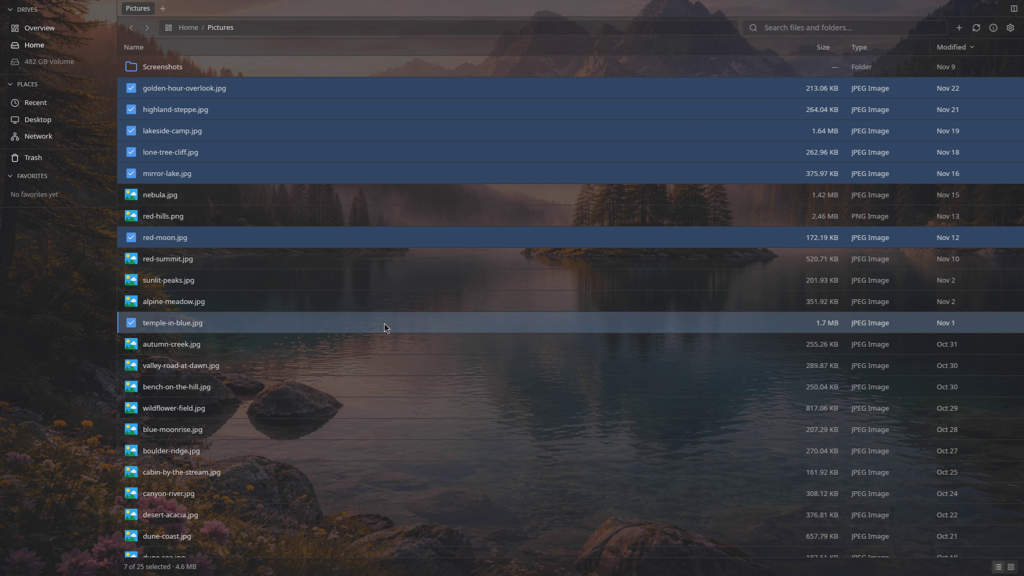
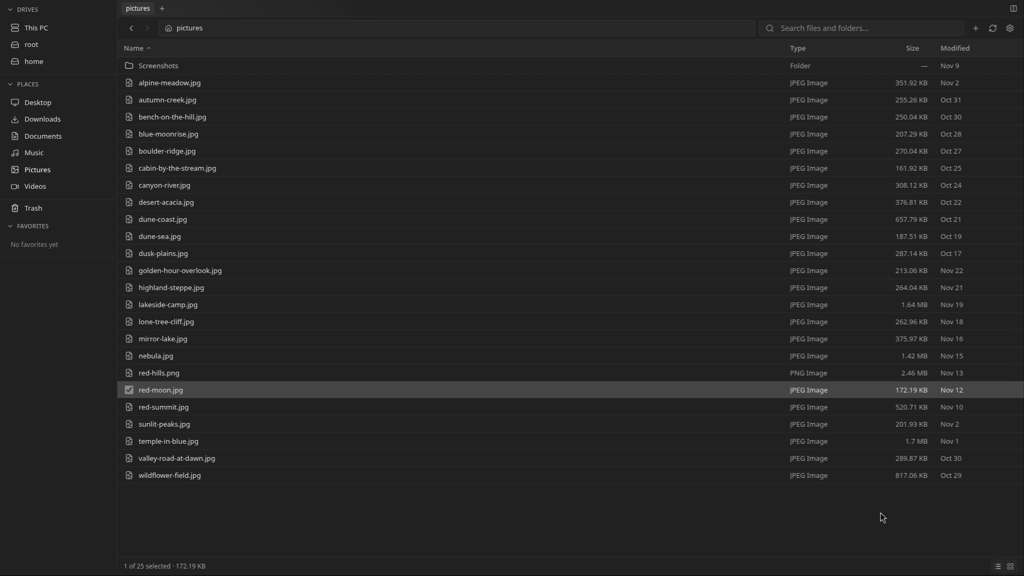
Local files and paired BoxBox servers now live side by side in one window. Pair a server with a code from its settings, and its drives show up next to your local disks in Overview and the sidebar.
The goal was to make it act like a real desktop file manager instead of a web app in a wrapper. You get tabs, split panes, per-folder views and zoom, custom folder colours and emblems, system icons and thumbnails, a Details panel (F11), multi-item Properties with Linux permission editing, copy/paste and drag-and-drop with other apps, transfer progress with cancel, and instant Trash with Ctrl+Z undo.
Windows is supported for the first time. Unzip and run boxbox.exe for inline Explorer Shell menus, Recycle Bin sync, SMB shares, Windows thumbnails, and embedded .exe icons. On Linux, you get mounting for drives, phones, encrypted volumes, and network shares, GTK bookmarks sync, an opt-in system file picker. Linux builds run natively on Wayland and use Vulkan.
The full breakdown of desktop additions is in the GitHub release notes.
Web app
The browser UI picked up most of the same file-manager upgrades. "This Server" is now Overview to match desktop. Folders remember their own view and sort, list columns resize and hide, and now you can zoom in or out the list/grid views. It also gets folder previews, custom folder colours and emblems customization, tinted file icons, hover cards, the Details panel, multi-item Properties, in-place rename, rubber-band and pattern selection, and spring-loaded drag-and-drop.
Server
A few server features landed too:
- OpenID Connect: Sign in through any OIDC provider alongside or instead of passwords.
- NAS identities: Map BoxBox accounts (including SSO accounts) to Linux users and groups so file access runs in isolated workers under each person's actual permissions.
- Share link previews: Share links now show Open Graph and Twitter card previews in chat apps, including image and video frames.
- Delete on expiry: Optionally delete a shared file when its link expires, with safeguards so replaced files or files covered by another active link stay safe. Not available in NAS mode.
- Preserve symlinks and permissions: Folder copies and cross-drive moves keep symbolic links and file modes, including in NAS mode.
Upgrading
Install the new boxbox desktop release (boxbox.exe on Windows, or the tar.gz installer, AppImage, or AUR package on Linux). On Linux, the new desktop entry replaces the old Electrobun one under io.boxbox.desktop. For the server, update your container to v0.4.0.